
This page is a ZenPay-styled copy of the Zenith Payments developer documentation. View the original docs
Hosted Checkout Pathway
What Hosted Checkout Is#
Hosted Checkout is ZenPay's integrated checkout solution. Your frontend initialises the JavaScript Plugin (zpPayment(...)) using values prepared by your backend, then launches the ZenPay-hosted payment experience either in a modal iframe or via full-page redirect.
- The plugin is the launcher
- The hosted checkout page is the payment UI
- Your backend is the source of trust
When to use Hosted Checkout:
- Your site or app needs to launch ZenPay checkout
- You want ZenPay to host the payment UI and handle sensitive data
- You want modal or redirect flexibility
- You want your backend to remain responsible for trust and payment state
Alternatively,
- Use Payment Links instead when you want a hosted payment link without building an embedded integration.
- Use the REST API when you need backend-only server-to-server payment operations.
- Use Developer Tools when debugging fingerprints, return URLs, or validation issues.
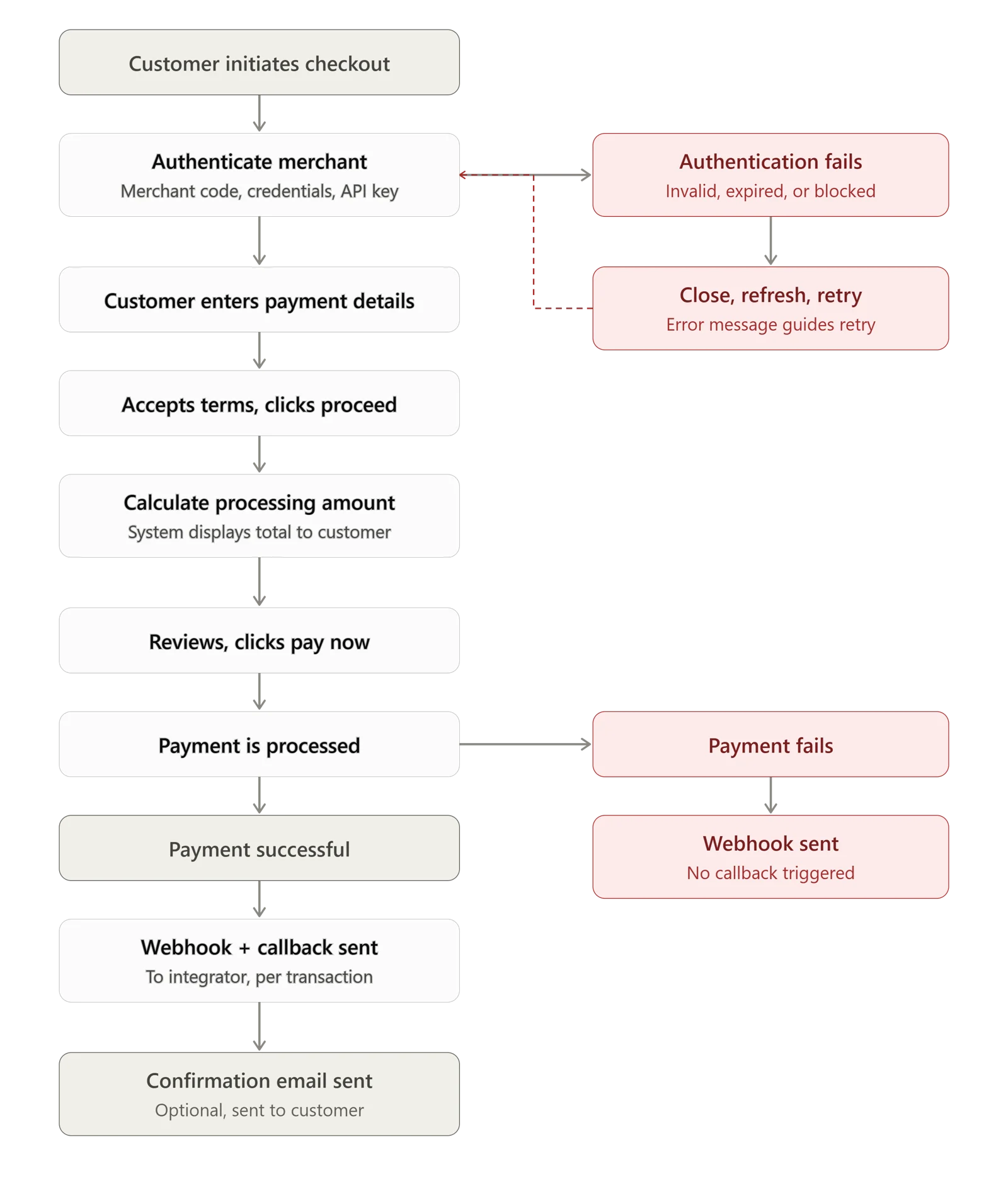
The Payment Journey (High-Level Flow)#
- Your frontend requests payment bootstrap data from your backend
- Your backend generates the fingerprint and prepares the payment payload
- Your backend returns safe bootstrap data to the frontend
- Your frontend initialises
zpPayment(...)and launches the plugin - The customer completes payment on the ZenPay-hosted UI
- ZenPay redirects the customer back to your site
- ZenPay optionally sends a server-to-server callback
- Your backend validates the callback before confirming the result
Trust Model — Who's Responsible for What#
Understanding this split up front makes every later section make sense — it's the reasoning behind the fingerprint, the payload, and the callback validation.
Browser responsibilities — the browser should:
- Request bootstrap data from your backend
- Initialise
zpPayment(...) - Launch the payment flow
- Show pending, success, failed, or cancelled UI states
- Handle return-page UX
The browser must not:
- Generate the fingerprint
- Contain merchant secrets
- Verify the callback
- Treat redirect query parameters as the only source of truth
Backend responsibilities — your backend should:
- Hold ZenPay credentials securely
- Generate the fingerprint server-side
- Create a fresh
merchantUniquePaymentIdandtimestampper attempt - Receive and validate callbacks
- Update local payment state
- Return authoritative payment status to the frontend
Need help with your integration?Talk to the Zenith Integrations Team.